Jump to Content
RCS Studio
GuidesAPI ReferenceDiscussions
Log InRCS Studio
Guides
Log In
GuidesAPI ReferenceDiscussions

Getting started

  • Welcome!
  • Introducing RCS Studio
    • RCS agents
      • Agent view
      • RCS builder
    • Connectors
    • Users
  • RCS 101

Basics

  • Launch your studio agent
  • Prohibited & restricted content
  • Create an agent or brand
    • Customize your agent
  • Build a message
    • Text-only message
    • Rich card
    • Carousel of rich cards
  • Send a message to a test device
    • Add a test device

Advanced

  • Build a message flow
  • Message routing
  • Message templates
    • Liquid filters
      • Date filters
  • Template variables
  • Connectors
    • API connectors
      • API connector authentication
    • Native connectors
      • Math connector
      • String connector
      • Date connector
      • List connector
      • Lodash connector
      • Catalog connector
      • Amazon Location Service connector
  • Assigning inputs

RCS Studio API

  • Admin API Access
  • Send Template Messages (via API)

Step-by-step demos

  • Launch your agent
  • Collect data via RCS
  • Create dynamic cards via API

Users

In the Users tab, you can view and manage the users associated to your account.
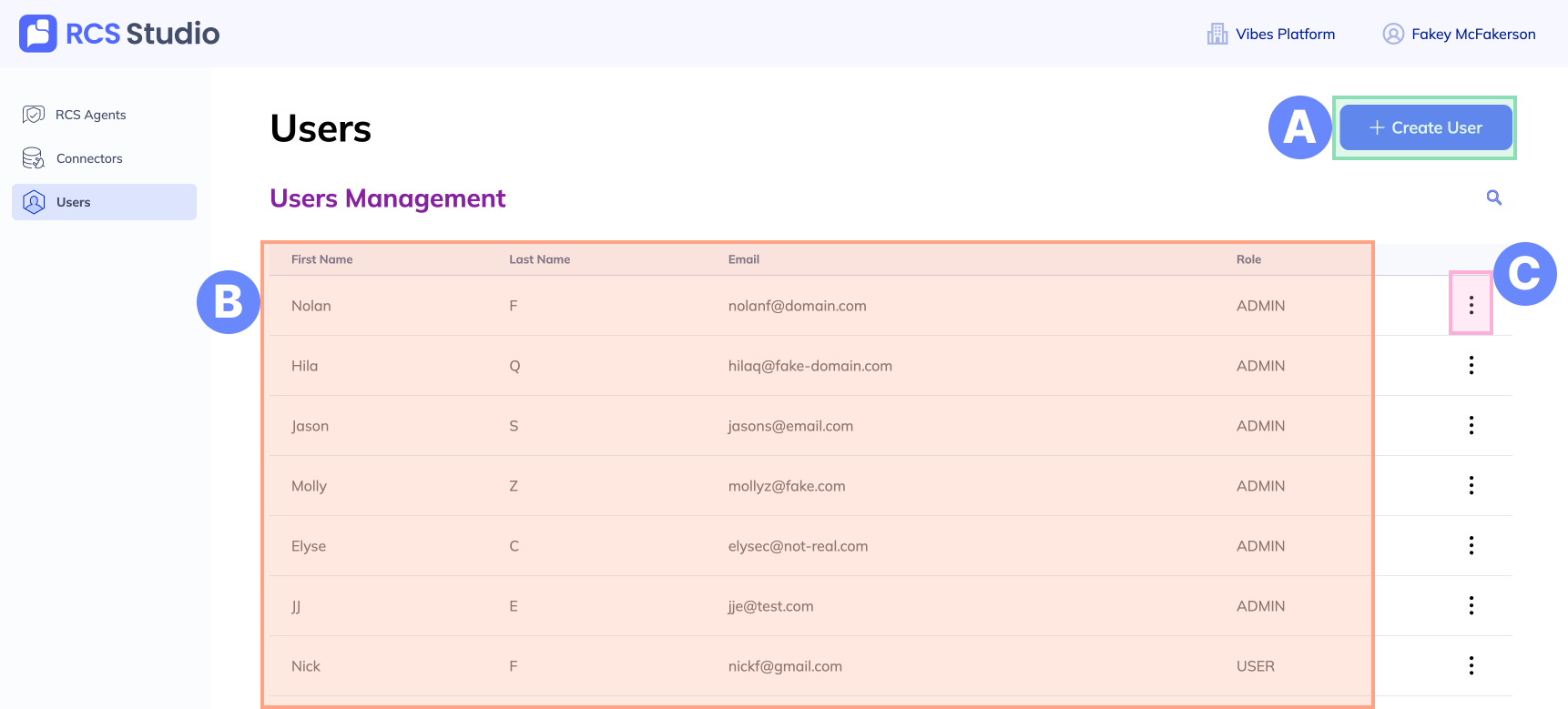
A. + Create User - Add a new user to your account.

B. Users - A list of the users currently associated to your account.

C. Options menu - To edit or delete a user, click the ... menu.

Updated 6 months ago


Connectors
RCS 101
.

Developer Documentation

Connect Aggregation

Vibes Platform

RCS for Business

Company

Vibes Website

Contact Us

Support

Privacy Policy

Acceptable Use Policy

Resources

Blog

Webinars & Videos

Guides

.
© Copyright Vibes Media, LLC . All Rights Reserved
.