
Agent and brand statuses
Every agent moves through a series of statuses from creation to going live. The current status is visible in the Overview tab.
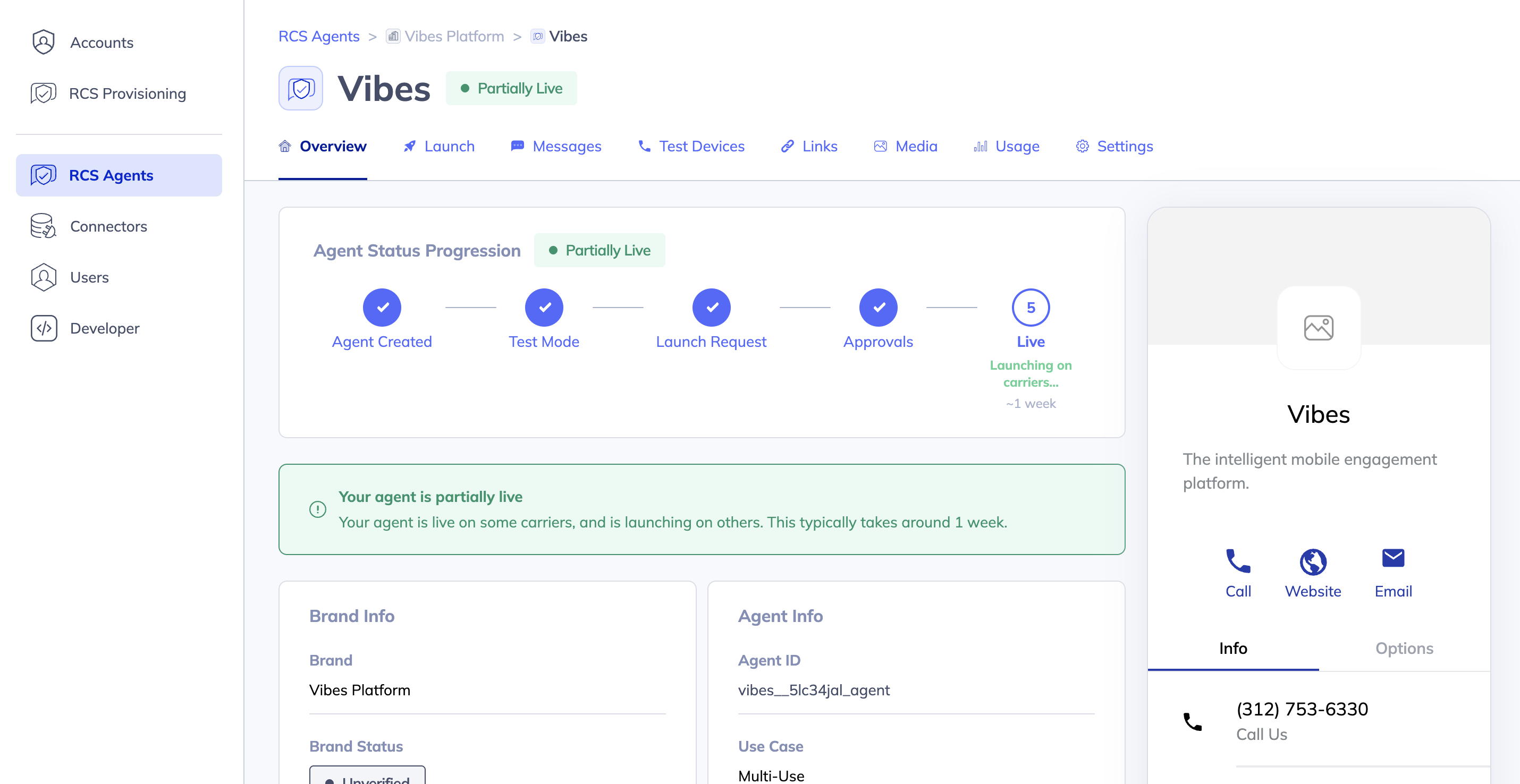
The four stages
The Overview tab shows a stepper with four stages.
Stage 1 — Agent Created
Your agent has been created and RCS Studio is connecting it to Google's RCS network. This setup typically takes a couple minutes. During this time, some tabs (Test Devices, Links) will show as unavailable.
Once setup is complete, your agent automatically moves to Test Mode.
Stage 2 — Test Mode
Your agent is deployed to the RCS network and ready for testing. You can:
- Build and publish messages
- Add test devices and send test messages
- Preview how your experience will look on a device
Your agent can only send messages to registered test devices at this stage. It is not yet visible to general users.
Stage 3 — Launch Request
You have submitted a launch request and your agent is under review by the Vibes team. The launch request is read-only while under review. This stage typically takes 2–3 business days for an initial Vibes review before moving to carrier approval.
Stage 4 — Approvals
Your launch request has passed Vibes review and is being submitted to carriers and partners for approval. This process typically takes around 2.5 weeks. You will be notified by email when a decision has been made.
Once all approvals are granted, your agent moves to Live.
Status reference
| Status | What it means | Action required |
|---|---|---|
| Created | Agent has been created. RCS Studio is setting up testing capabilities on the RCS network. | None — wait for setup to complete (~couple minutes). |
| Test Mode | Agent is connected to the RCS network and ready for testing. | Build your messages and add test devices. Submit a launch request when ready. |
| Setup Failed | The connection to the RCS network failed. | Contact Vibes support. |
| Under Review | A launch request has been submitted. Vibes and carriers are reviewing the agent. | None — you will be notified by email. The launch request is read-only. |
| Verified | The agent has passed verification and all approvals have been granted. | None — Vibes will complete the final activation. |
| Live | Your agent is live and can send messages to all RCS-enabled users on approved carriers. | None — your agent is fully operational. |
Brand statuses
Each agent is tied to a brand. The brand has its own status that progresses in parallel with the agent — both must reach Verified before the agent can go live.
| Status | What it means |
|---|---|
| Created | Brand has been created; setup is in progress. |
| Deployed | Brand is active on the RCS network. |
| Under Review | Brand is being reviewed as part of the agent launch process. |
| Verified | Brand has passed verification. |
Brands do not have a Live status — the launched state applies to agents only.
Updated 4 months ago