
RCS 101
The foundational concepts behind RCS Business Messaging and how RCS Studio models brands, agents, messages, and conversations. Read this before diving into the builder or the API.
What is RCS?
Watch the video to see how RCS messaging works.
RCS (Rich Communication Services) is the next generation of mobile messaging — built into the native messaging app on Android and iOS, with no app download required. For businesses, it replaces or supplements SMS with a verified, branded, and interactive experience.
Key capabilities:
- Verified sender identity — Your brand name, logo, and color appear instead of an unknown phone number. Users see a verified badge confirming the sender is who they say they are.
- Rich media — Send images, videos, and files natively in the conversation thread.
- Interactive chips — Suggested replies and action buttons let users respond with a single tap instead of typing.
- Read receipts and typing indicators — Know when messages are delivered and read.
- No app install — Messages arrive in the same app users already use for texting.
Brands & agents
Brand

A brand is the entity that owns an agent. Brands can have multiple agents for different use cases, but each agent is owned by only one brand.
One account may own several brands.
Agent

The agent is the "sender" of your RCS messages. To an end user, an agent appears as a branded, verified contact — with your logo, display name, and a checkmark confirming the identity has been verified by carriers.
Agents are tied to specific carriers and use cases. They go through a carrier review process before they can send to all users.
How conversations work
In RCS Studio, a conversation is a sequence of messages (called states) connected by routing logic. Each message can include rich content, run API operations to fetch live data, and route the user to a different message based on their response or the data returned.
States
Each message your agent can send is configured as a state — a named unit that defines the template, operations, and routing rules. States are the building blocks of a conversation flow and are identified by a unique stateId.
Routing
After a user responds, the agent evaluates routing rules to decide what to send next. There are two types:
- User-initiated — the user's chip tap or text response determines the next state
- Conditional — the agent evaluates data from an API and silently routes to the appropriate state
Both types can be combined in the same flow.
Messages
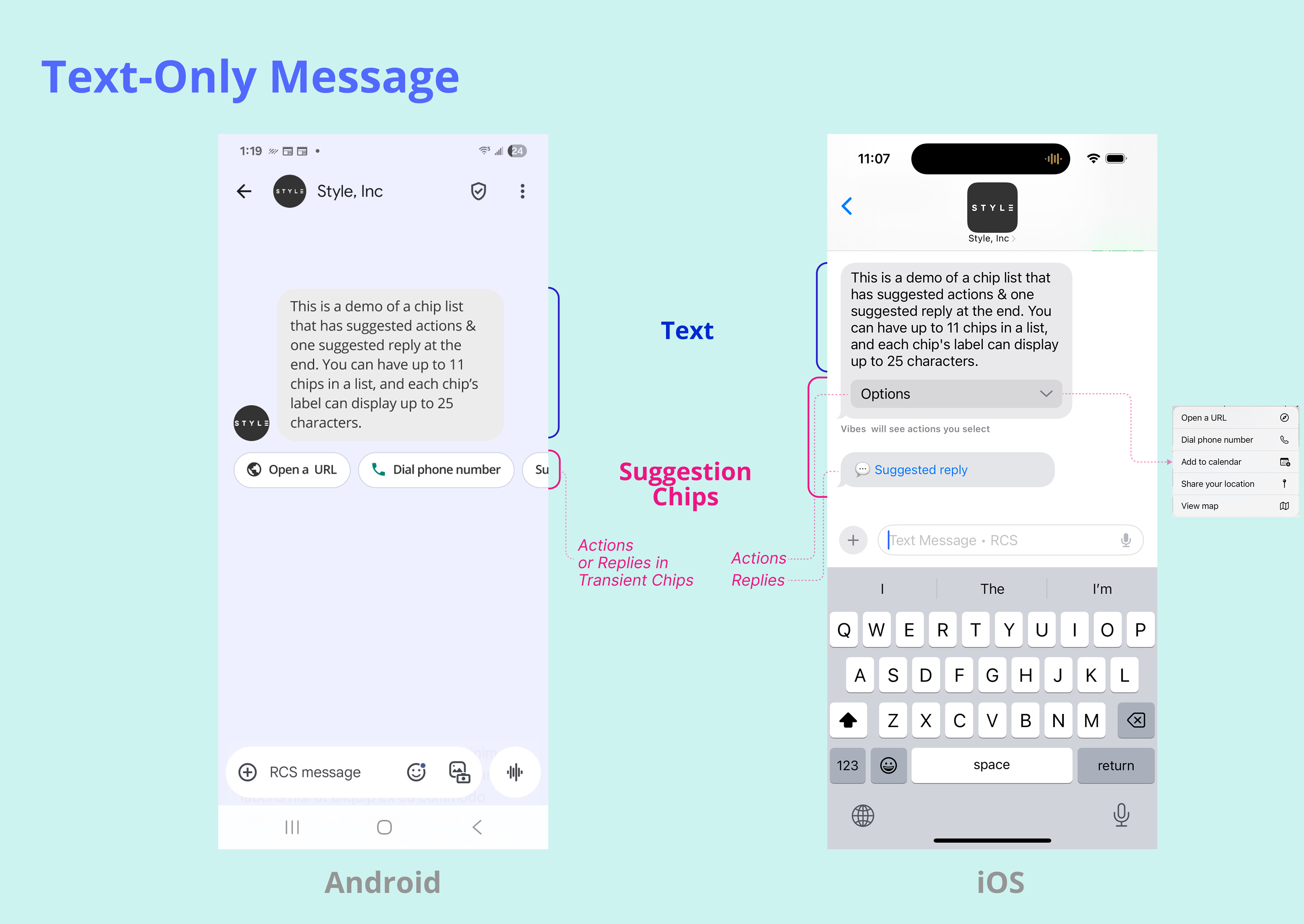
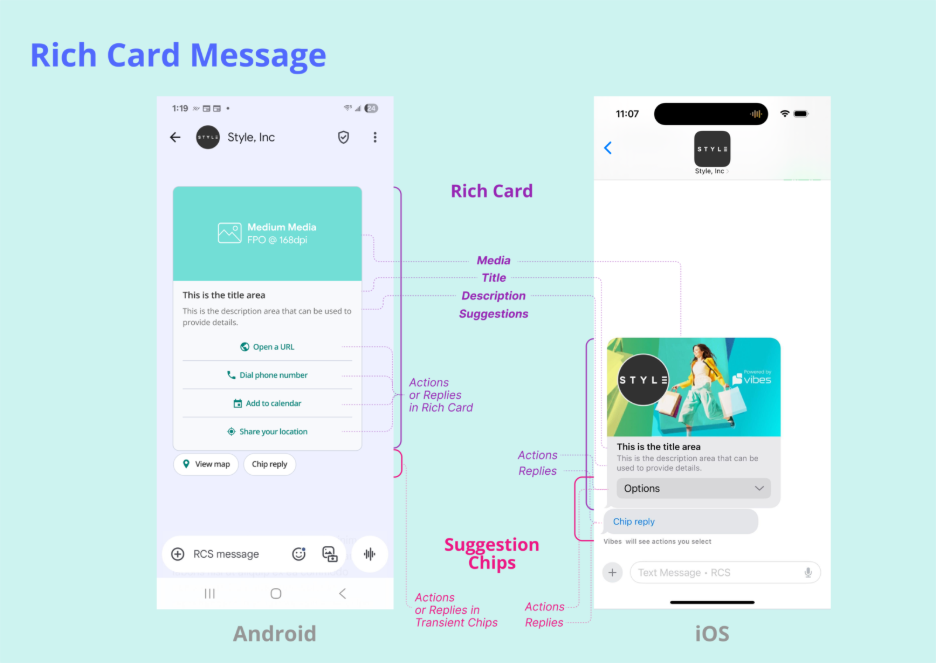
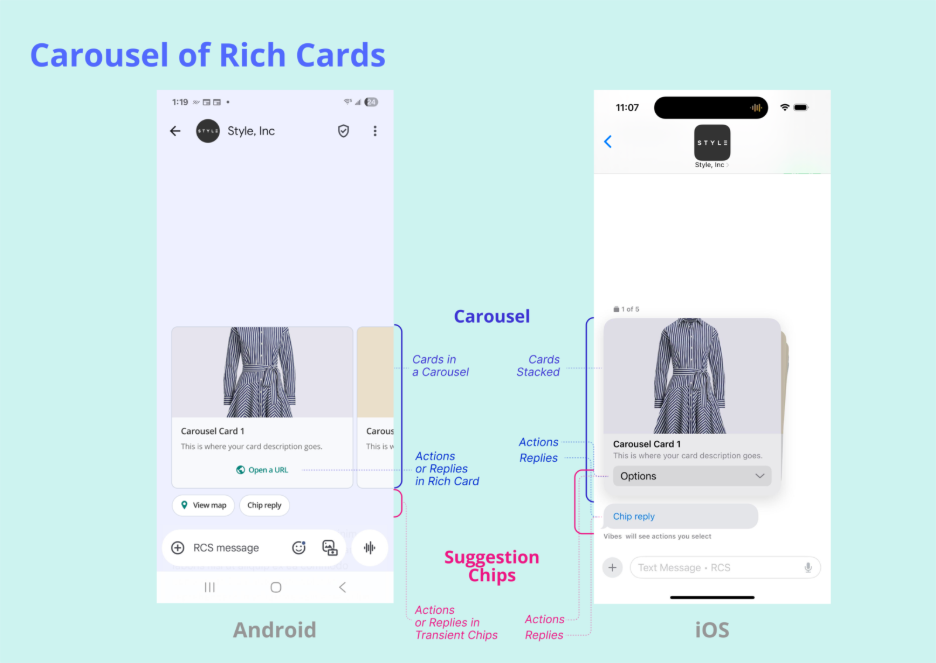
There are three message types: text message, rich card, and carousel of rich cards.
A text message with up to 3,072 characters. Supports suggestion chips below the message text.
A single card with optional media, title, description, and suggestion chips.
A horizontally scrollable set of 2–10 rich cards. Users swipe through the cards and can tap chips on individual cards.
Suggestions
RCS defines two types of interactive elements that appear on messages:
- Suggested replies — pre-defined responses the user can tap to send back to the agent
- Suggested actions — trigger something on the device: dial a number, open a URL, share location, open a map, or create a calendar event
Both types appear in two placements: suggestion chips (below the message thread, all message types) and suggestions (inside a rich card, rich cards and carousels only).
What's next
Updated 4 months ago