
Carousel of rich cards
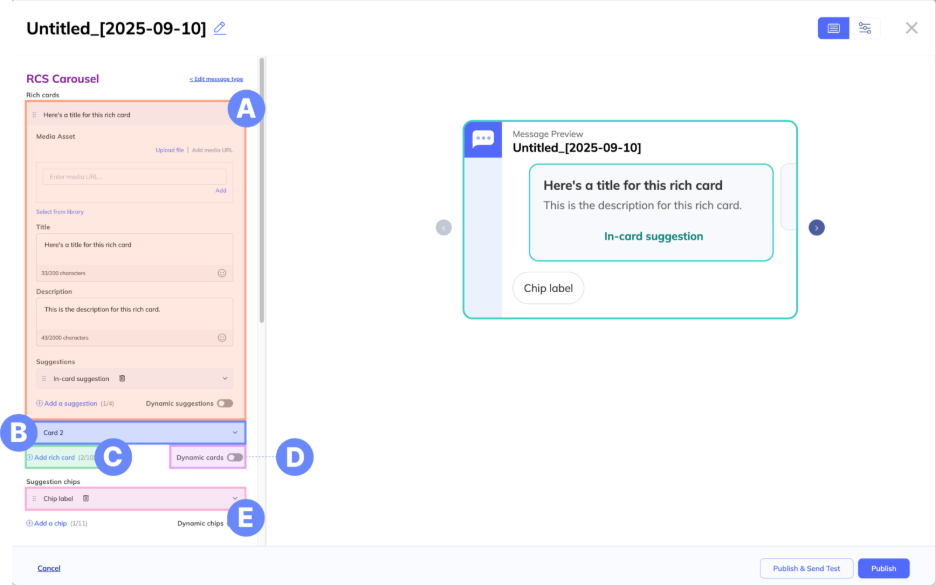
In the RCS configuration panel, select the message type Carousel.
A. Rich card configuration (expanded) – In each card dropdown, you can configure your rich card options. See Rich card for more information on fields that can be added to a rich card.
B. Rich card configuration (collapsed) – By default, carousels must have at least 2 rich cards. When you create a carousel, two cards will automatically be added. Open the additional dropdowns to configure each rich card individually.
C. Add rich card – Add up to 10 rich cards to your carousel.
D. Dynamic rich cards – Toggle this on to create dynamic rich cards. Learn more about creating a dynamic carousel.
E. Suggestion chips – Add up to 11 suggestions that—on Android devices—will appear as chips. For iOS, all actions will appear in the card, and all replies will appear underneath the card.
Updated 11 months ago