
RCS agents
In this tab, you’ll find all the brands and agents associated with your account.
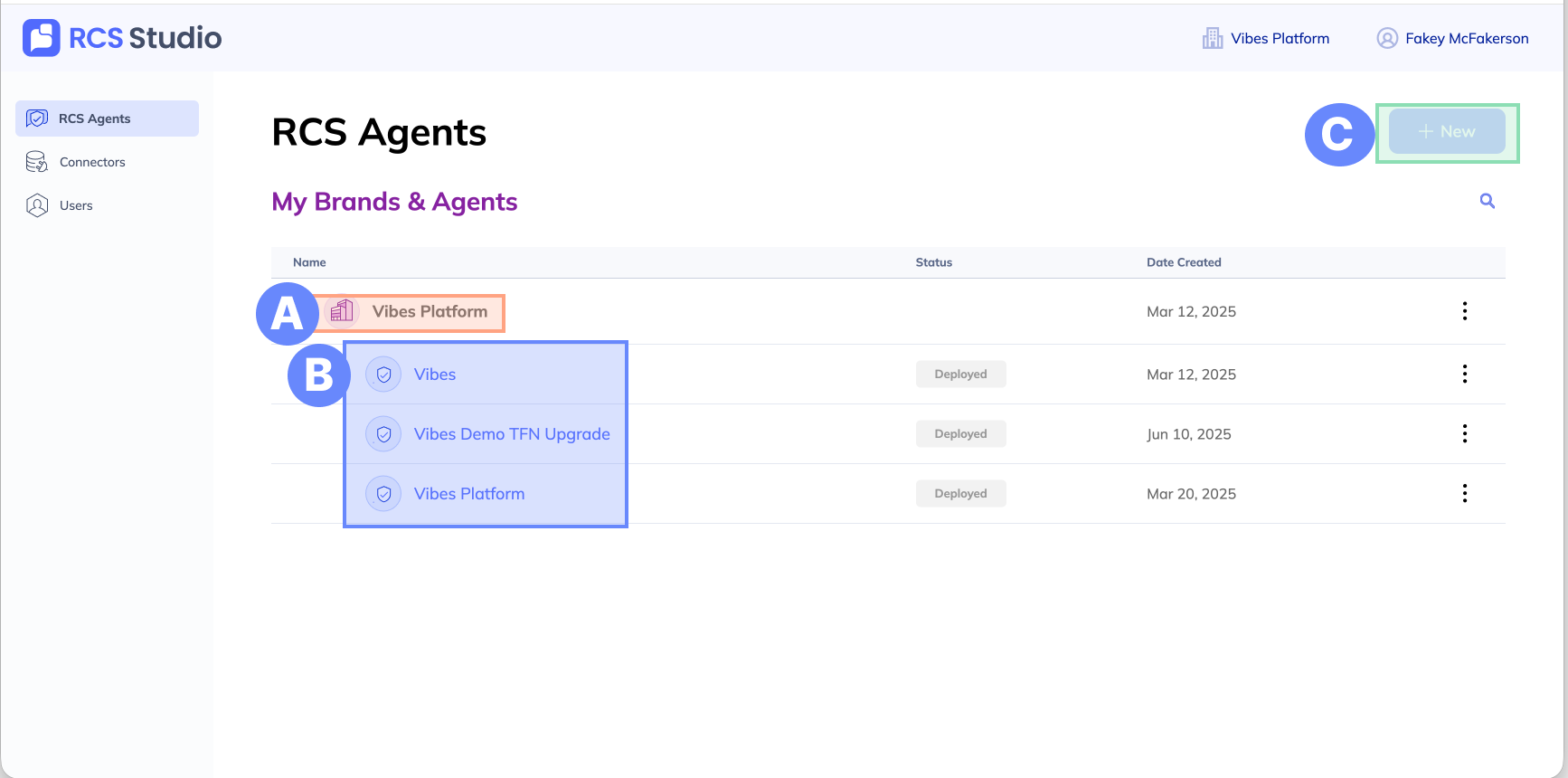
A. Brand - Your brand is the entity under which you can make agents. Each brand can have multiple agents, but agents can only be associated with one brand.
B. Agent - The "sender" of your messages. When you expand a brand, you can see all the agents available under the brand. Clicking on an agent will bring you to the agent view.
C. + New - When you select + New, you will be given two options:
- Brand + agent - Create a new brand and its first agent.
- Agent only - Create a new agent under an existing brand.
Note: If you are using the free tier, you may only create 1 brand with 1 agent.
Updated 11 months ago
Did this page help you?