
Rich card
In the RCS configuration panel, select the message type Rich card.
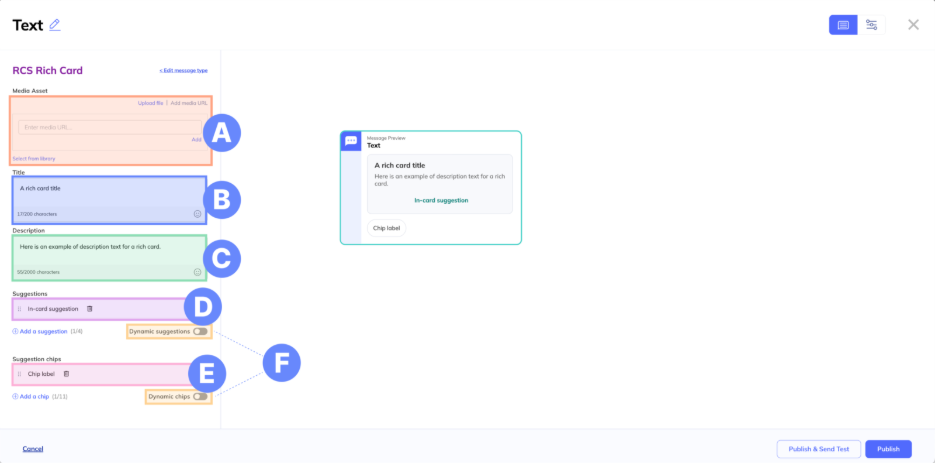
A. Media – Add media to include in your rich card. There are three options for adding media.
- Upload file – Upload a file from your computer.
- Add media URL – Add a publicly available URL for a media asset.
- Select from library – Choose media that was previously added to your agent in the Media assets tab.
B. Title – Add up to 200 characters of text or emojis.
C. Description – Add up to 2000 characters of text or emojis.
D. Suggestions – Add up to 4 suggestions that—on Android devices—will appear in the rich card. For iOS, all actions will appear in the card, and all replies will appear underneath the card.
E. Suggestion chips – Add up to 11 suggestions that—on Android devices—will appear as chips. For iOS, all actions will appear in the card, and all replies will appear underneath the card.
F. Add dynamic suggestions or chips - Toggle on for dynamic suggestions or chips. Learn more about dynamic content.
Updated 11 months ago