
Customize your agent
Once your agent is made, you can update certain details that will appear on the end user’s phone. To do this, navigate to your agent and open the Settings tab.
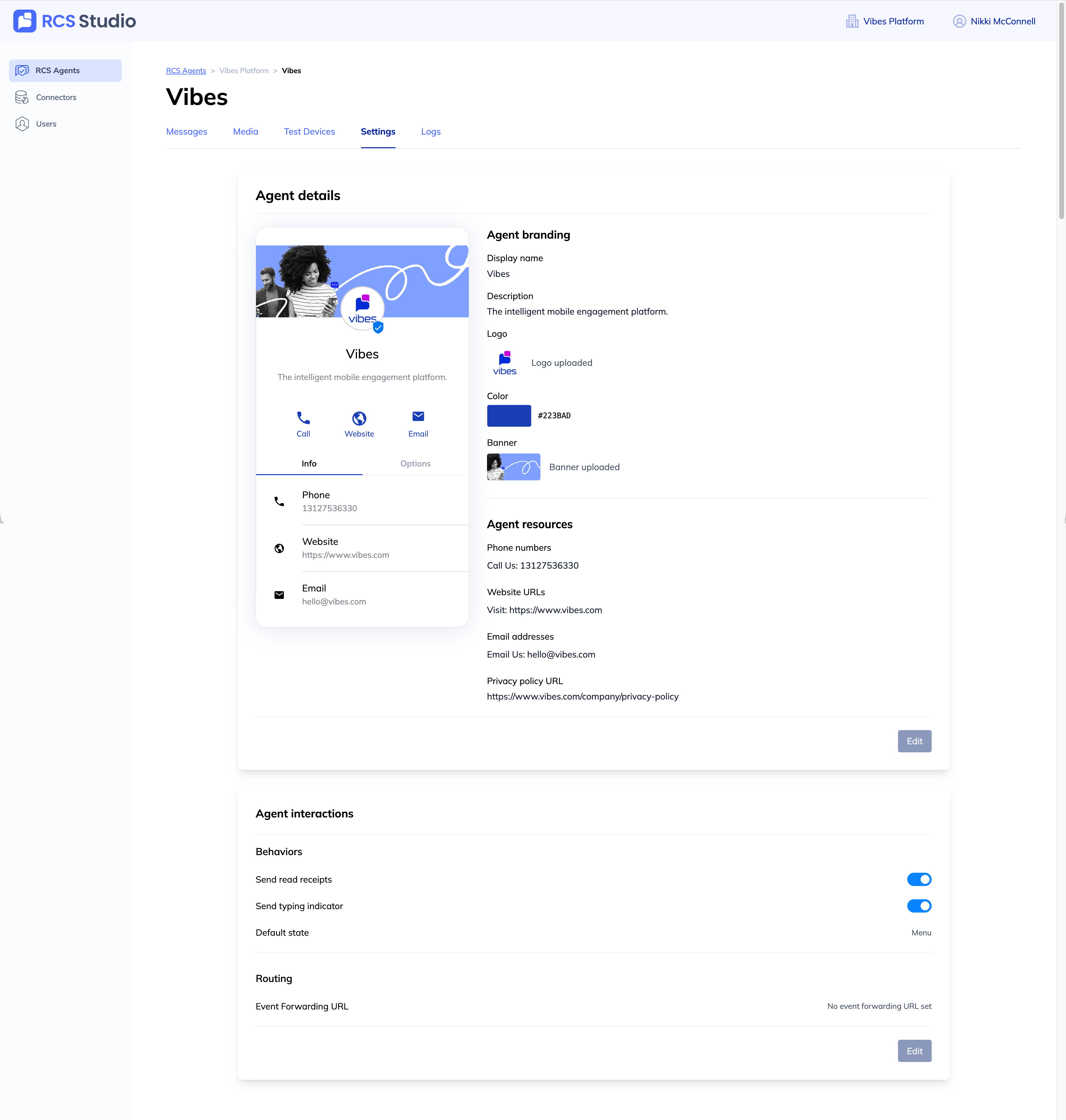
A. Agent details
- Agent branding: Edit your agent's details with logos, banner images, brand colors, and more. The end user will be able to see this information on their device.
- Agent resources: Edit contact information and details for your agent. The end user will be able to see this information on their device.
B. Agent interactions
- Behaviors
- Send receipts: Toggle this on if you would like end users to see that your agent has received their message.
- Send receipts: Toggle this on if you would like end users to see typing indicators when the agent is responding to their message.
- Default state: Choose a default message to send to the user in the event that your agent does not recognize the user's response.
- Routing
- Event Forwarding URL: If you would like to send incoming events to an external endpoint, you can set that endpoint here.
Updated 4 months ago
Did this page help you?