
Launch your agent
Are you ready to launch your agent? This page will explain the steps and required information that will be needed to launch an agent on one or more carriers.
Note, RCS Studio features are frequently being enhanced so please check this page for changes before submitting a new launch request.
Studio Guides
Launch a New RCS Studio Agent with Vibes - This document outlines the steps needed to launch an agent with Vibes on one or more carriers.
RCS Studio Compliance Index - This document provides a quick reference compliance index of the required disclosures for each field you'll see in the RCS Campaign Brief. This document also provides example content for each field.
Launch Request Forms 📝
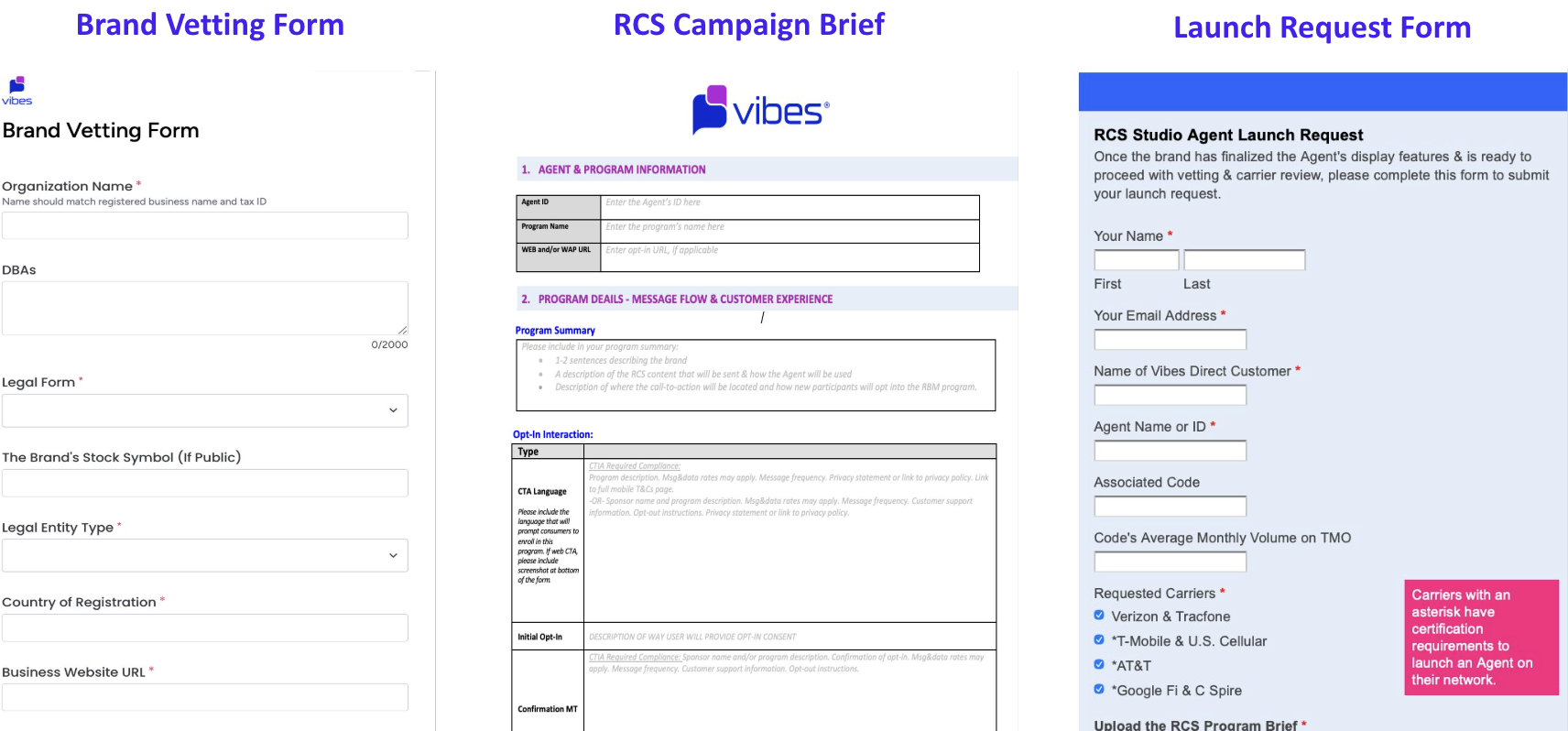
Brand Vetting Form
This form is used to collect the brand’s vetting information, which Vibes will use to submit to the carrier's third party vetting partner, Aegis. The vetting step is required by the tier 1 carriers to launch an Agent.
The RCS Campaign BriefThe agent’s campaign details are required by the carriers prior to launch & will be reviewed for carrier compliance disclosures. The CTIA & carrier’s U.S. compliance requirements will apply.
Additionally, the Carrier's Prohibited Content Policies & Google's Acceptable Use Policy will apply to all RCS programs. Note, the content listed as restricted in Google's AUP are prohibited on their network at this time but may be considered for approval by the non-Google controlled carriers such as AT&T, T-Mobile & Verizon.
Click HERE for a sample RCS program brief.
Agent Launch Request FormThis form is used to confirm that the Agent details have been finalized & the brand is ready to proceed with Aegis vetting. You will use this form to submit the RCS program brief details for the Agent & certification information that will be used when Vibes submits this Agent's launch request to the carriers.
Please note, T-Mobile is in a RCS Beta period for their network so all brands & use cases may not be eligible during this time. T-Mobile may also request additional details when considering an Agent for launch on their network during their RCS Beta period. Unfortunately, T-Mobile has not indicated when their RCS Beta period is expected to end.
Preview & Testing Requirements By Carrier
T-Mobile Handset Testing - T-Mobile requires handset testing of the following:
- START or other test keyword that returns the approved opt-in confirmation message or single message program's MT.
- Stop response that matches the approved copy.
- Help response that matches the approved copy.
- A deep link QR code that initiates a keyword opt-into the Agent's RCS program - Vibes will create this link on your behalf. Please ensure the keywords are setup and working on the Agent. And if the test keyword differs from START, please include certification instructions in your submission.
Google Preview Video or Handset Test- The Google RCS Business Messaging team requires a preview video or handset test before an Agent can launch on C Spire & Google Fi. Videos must be provided via public URL.
The Agent Preview Must Show:
- The opt-in flow that an end user would follow to opt-into the RCS program.
- The Agent's opt-out functionality.
- The Agent's core functionality such as production information or services that you are providing to the users. If the Agent is multi-use, both information and marketing content must be included in the example messages.
AT&T Preview Video or Handset Test - AT&T reviews the Agent's opt-in message, example RCS content, & opt-out functionality.
Click HERE to view an example RCS preview video
Updated about 2 months ago